IBM Storage Protect: Backup Monitoring Software
BACKUP EAGLE® for IBM Storage Protect
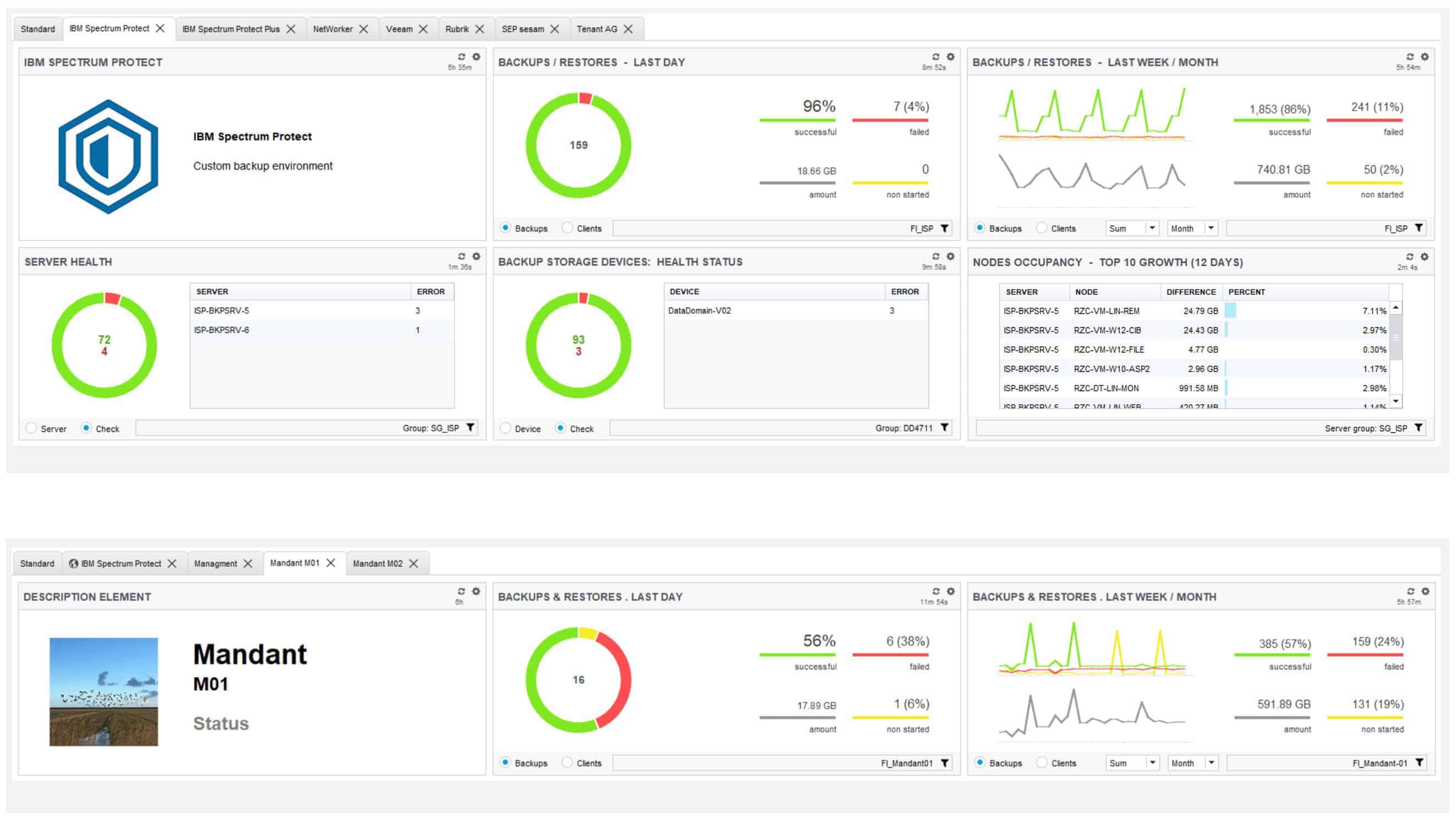
BACKUP EAGLE® ISP dashboards
- Customise your IBM Storage Protect Dashboards to fit your requirements.
- Views for additional departments, topics and tenants (such as “M01”) can be shown in additional dashboards.
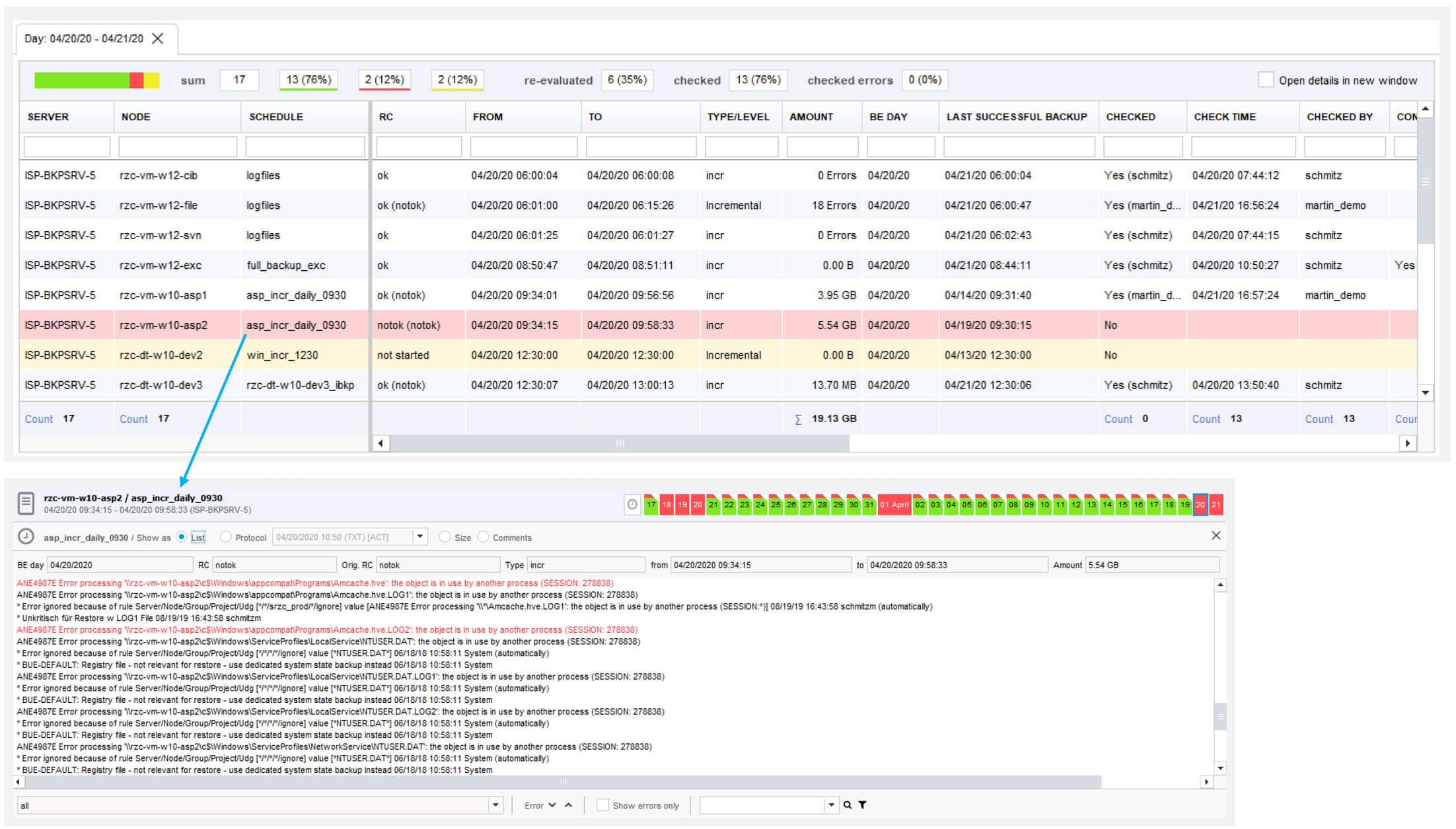
BACKUP EAGLE® daily checking of backups
- All backup jobs are shown clearly arranged in a list with the most important attributes directly.
- Additional information of a backup job – error messages, direct view on the last 30 backups (results, quantities) can be found in the detail area.

BACKUP EAGLE® monthly and annual views
- Monthly view: includes all backups cumulated per day.
- Annual view: includes all backups cumulated per month.
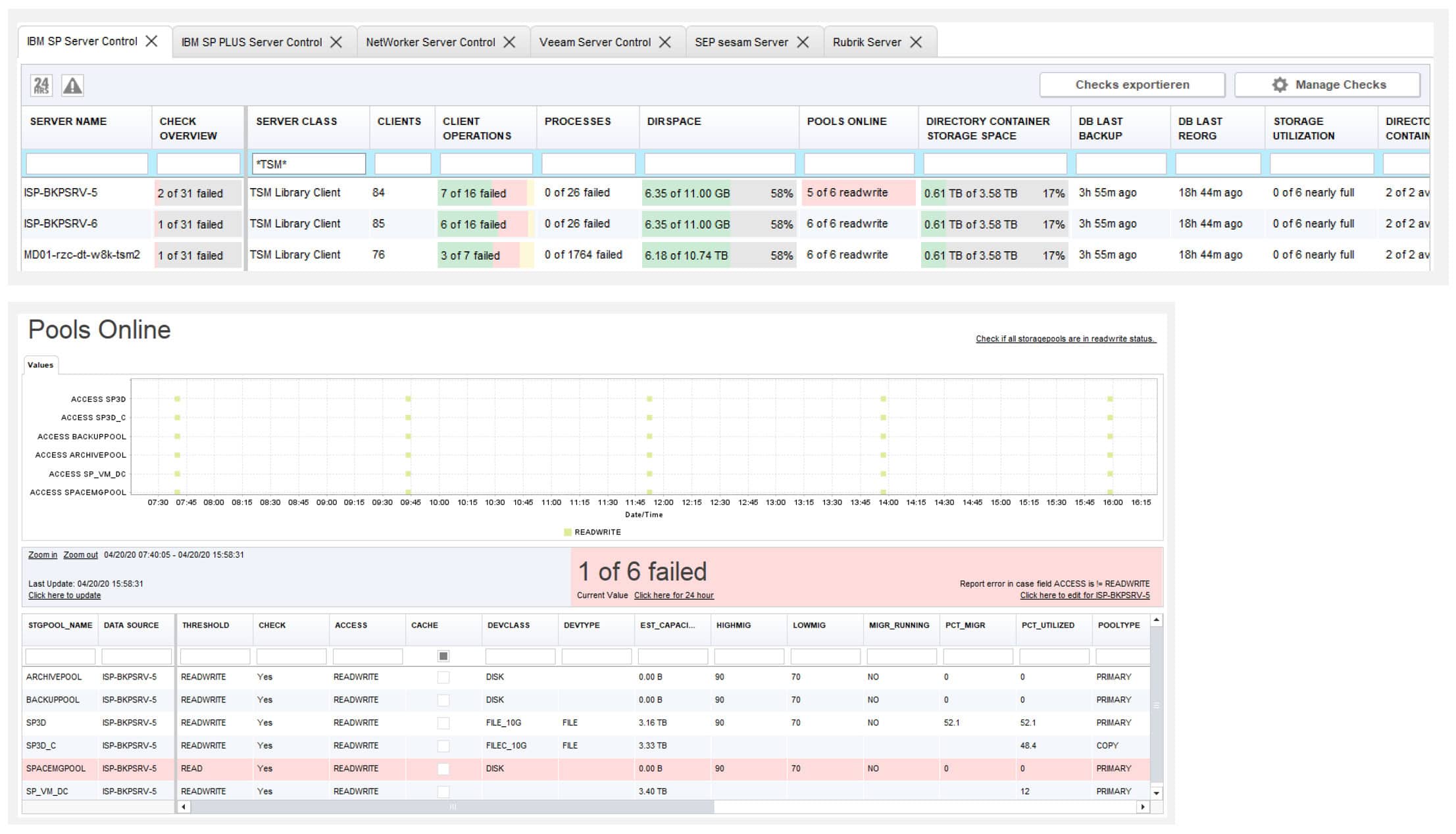
BACKUP EAGLE® server checks
- Keep an overview of the status of your ISP servers based on server checks with threshold values.
- If you select an ISP server check, all detailed information about the current status and the development of the last 31 days is displayed.
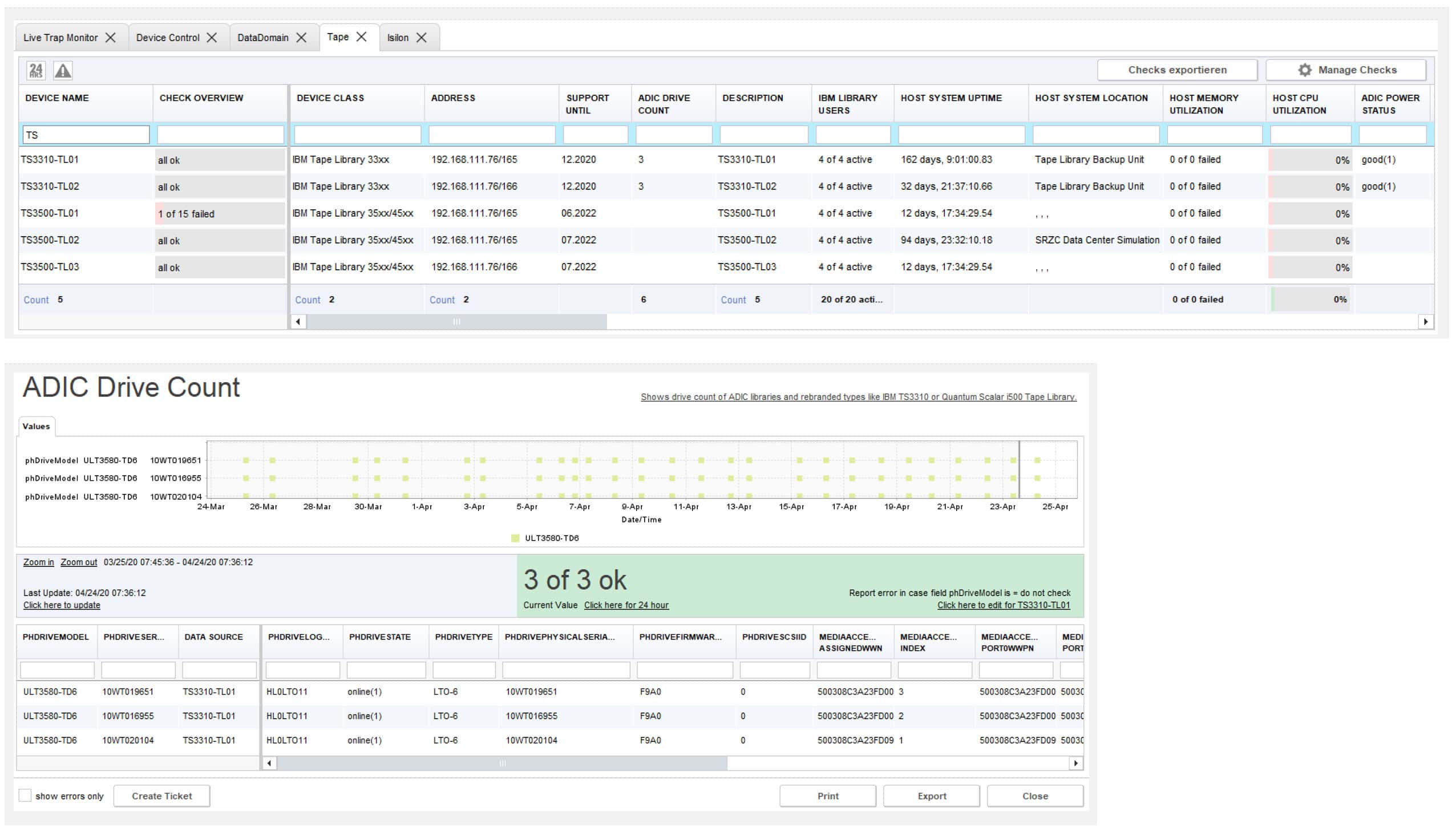
BACKUP EAGLE® device checks
- Keep an overview of the status of your backup devices based on device checks with threshold control.
- When you select a device check, all detailed information on the current status and the development over the last 31 days is displayed.
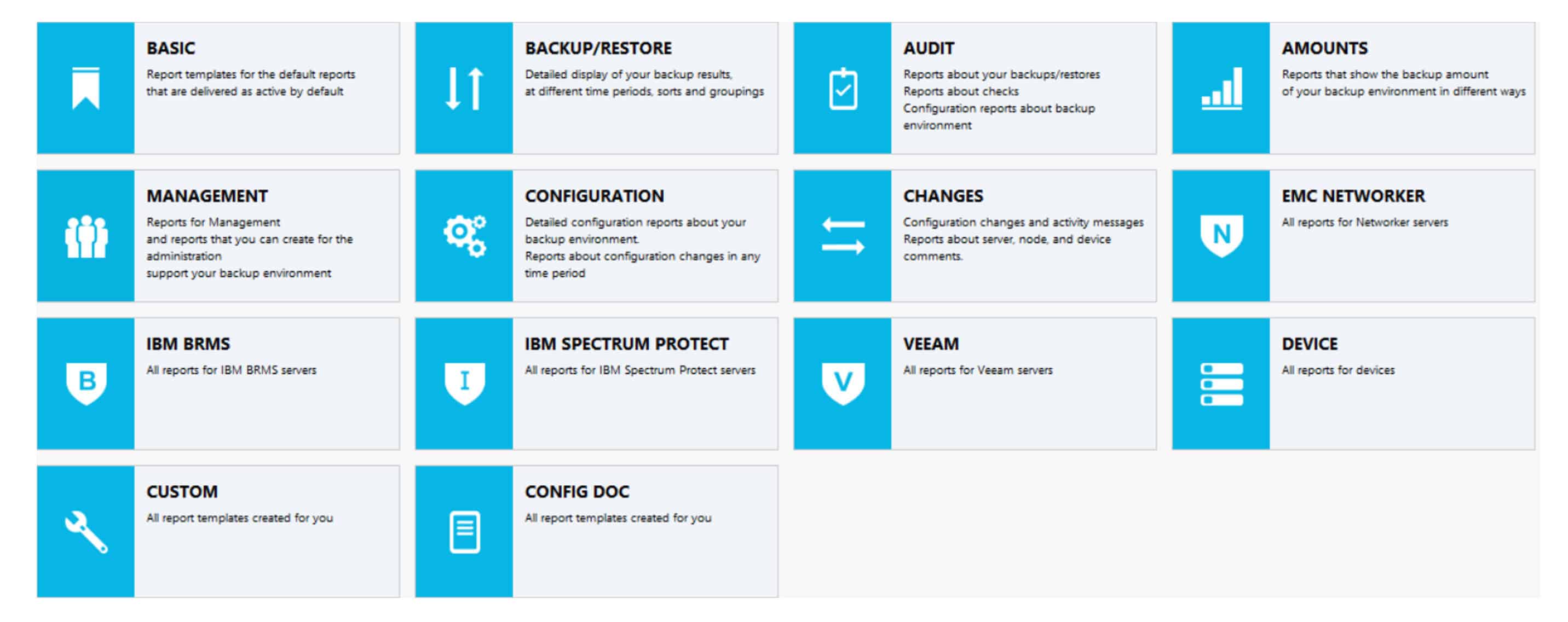
BACKUP EAGLE® reports by topics
- Proof of backups & restores
- Audit & compliance
- Capacities and forecasts
- Configuration documentation
- Backup servers and backup devices
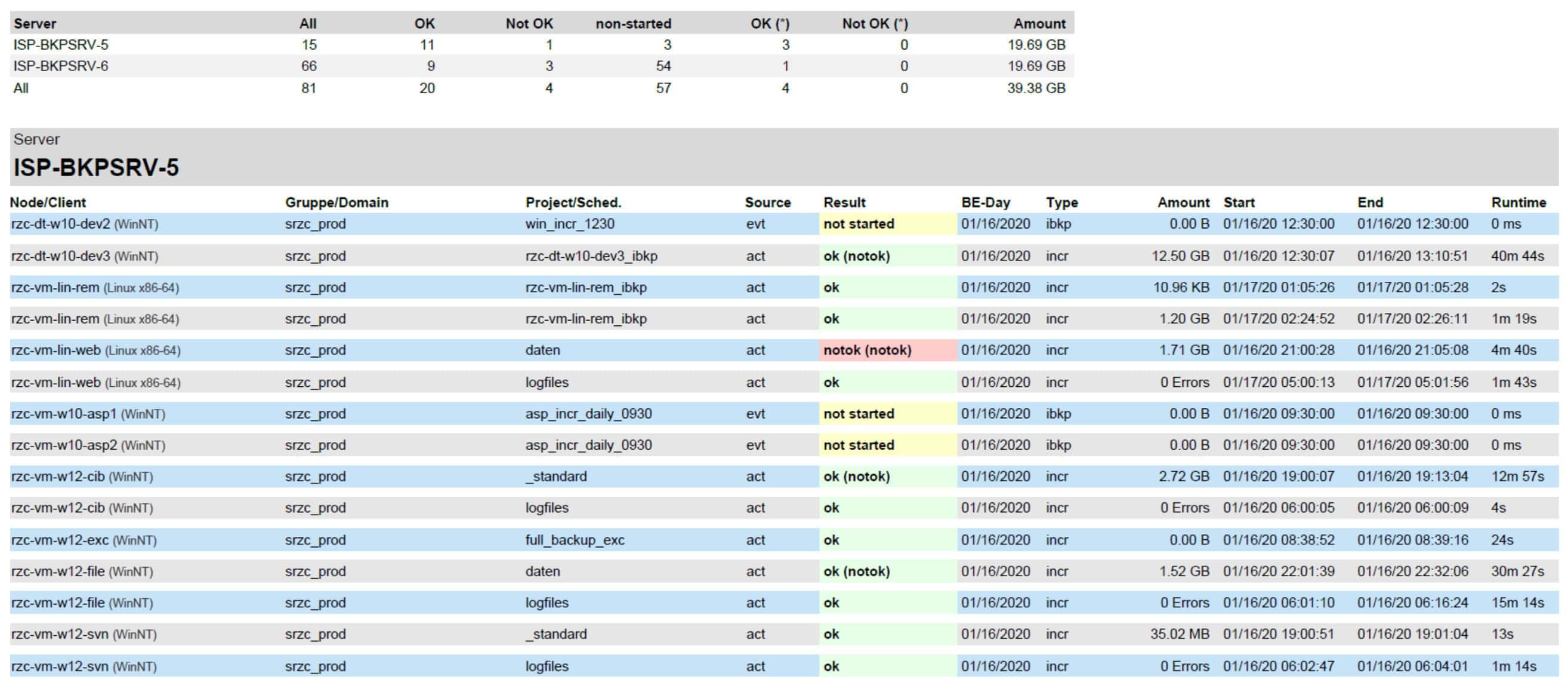
BACKUP EAGLE® ISP backup report
- This report contains the results of all IBM Spectrum Protect backups and restores with the associated basic information (one line per backup).
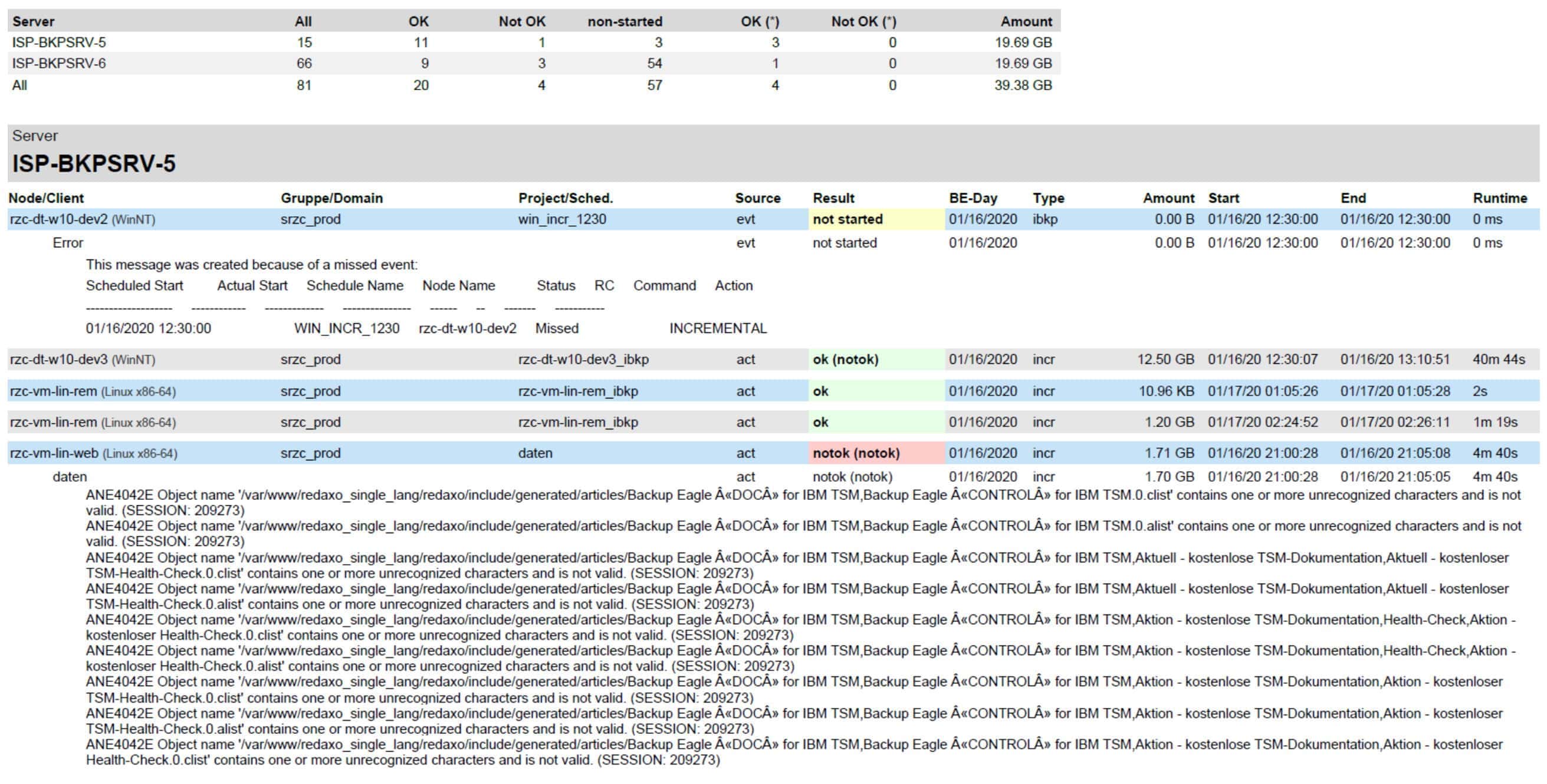
BACKUP EAGLE® ISP backup detail report
- You can easily configure this IBM Storage Protect report to include additional details.
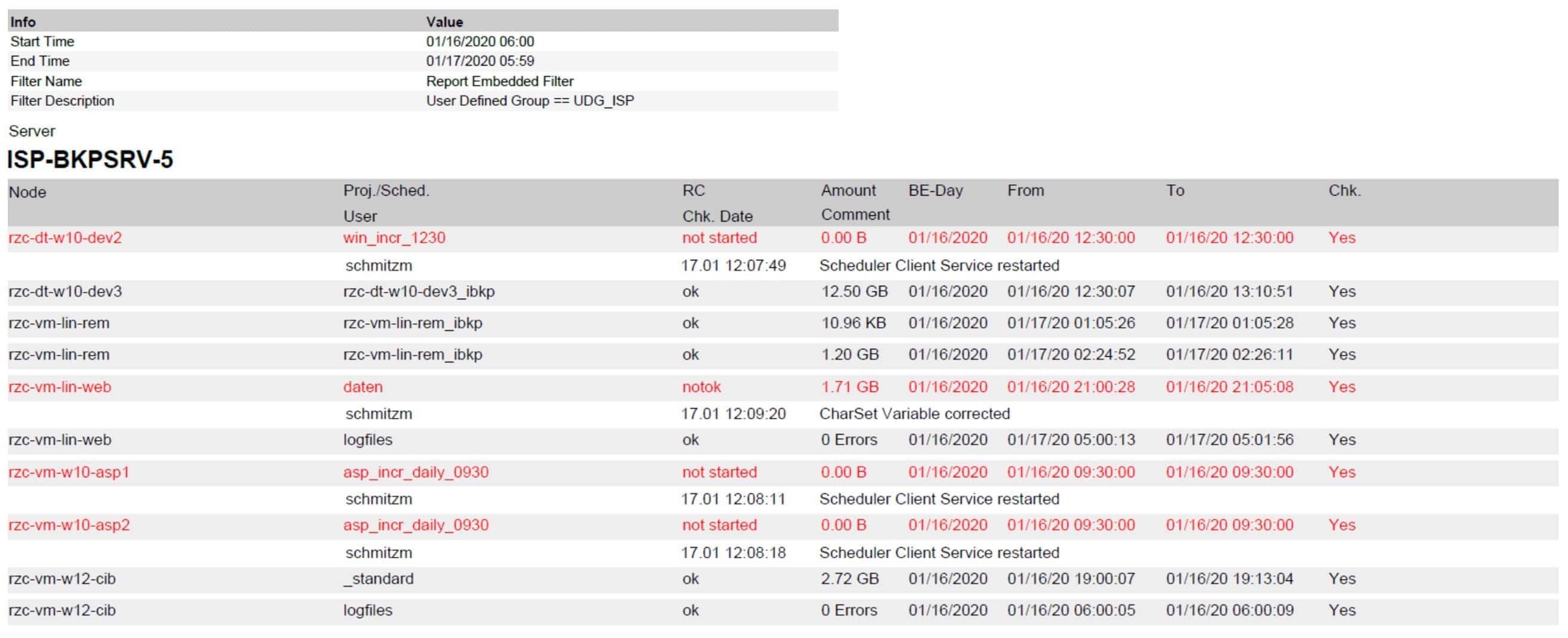
BACKUP EAGLE® ISP audit report
- This audit-specific report includes all IBM Storage Protect backups and restores for the previous day, including audit comments on the failed backups & restores.
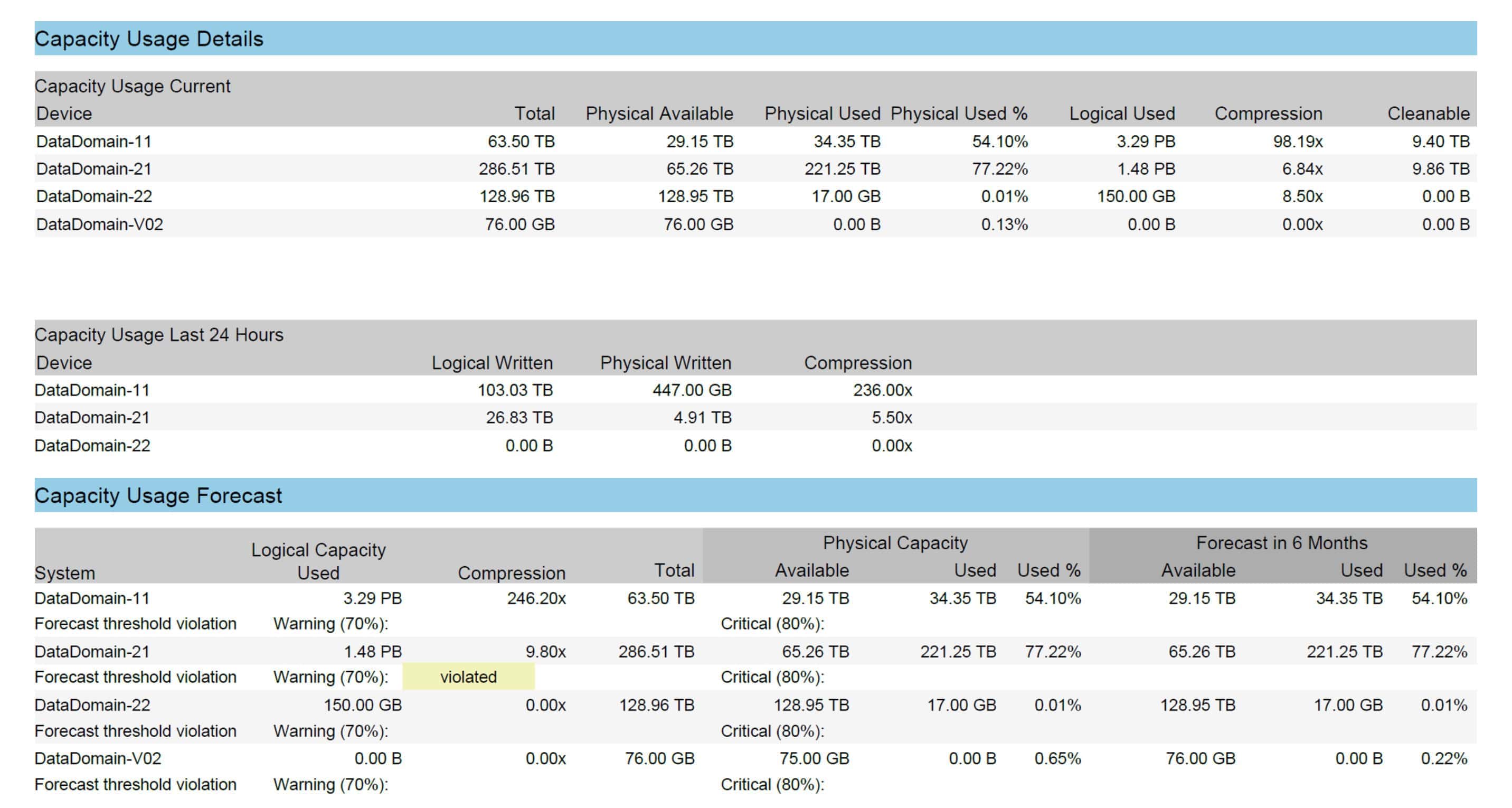
BACKUP EAGLE® ISP forecast & capacity planning
- This report is an example of a forecast and is designed for capacity planning issues.
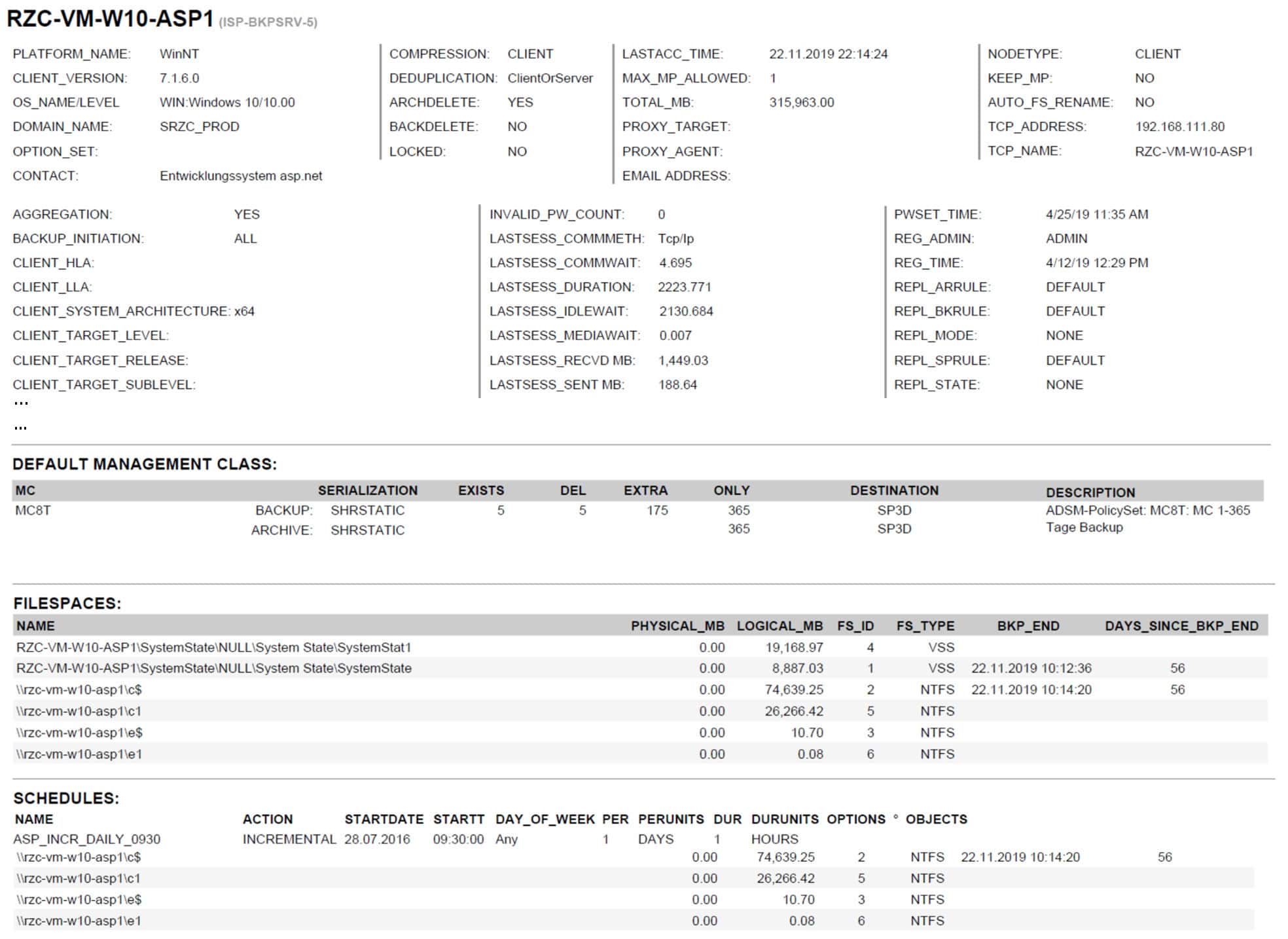
BACKUP EAGLE® ISP configuration documentation
- This report is an example of a daily BACKUP EAGLE configuration report and shows the specifications of an ISP client / registered node.
- All ISP configuration reports are generated automatically on a daily basis and additionally on request.
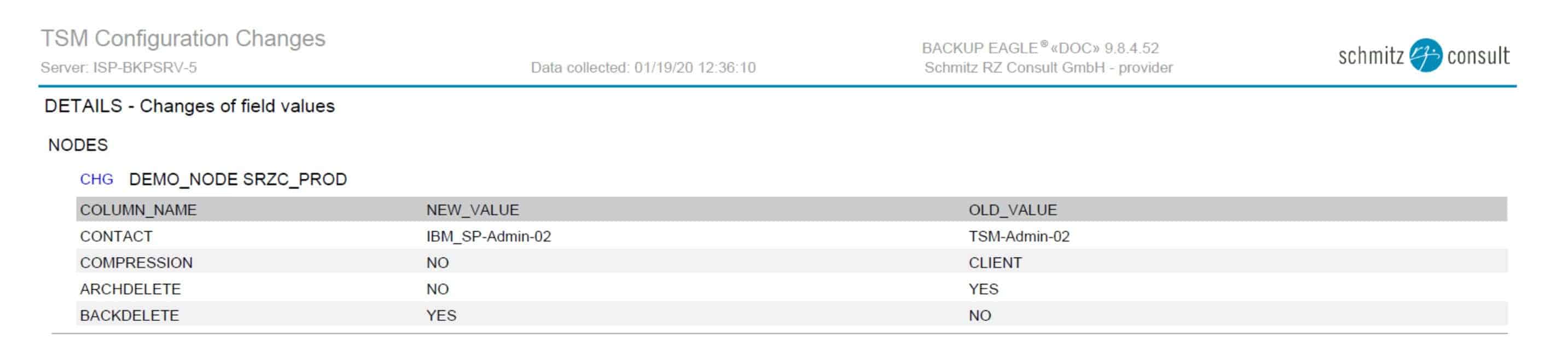
BACKUP EAGLE® ISP configuration change evidence
- All changes to your IBM Spectrum Protect configuration are automatically recorded.
- This report completes the documentation of your ISP backup environment.
BACKUP EAGLE® ISP dashboards
- Customise your IBM Storage Protect Dashboards to fit your requirements.
- Views for additional departments, topics and tenants (such as “M01”) can be shown in additional dashboards.
BACKUP EAGLE® daily checking of backups
- All backup jobs are shown clearly arranged in a list with the most important attributes directly.
- Additional information of a backup job – error messages, direct view on the last 30 backups (results, quantities) can be found in the detail area.
BACKUP EAGLE® monthly and annual views
- Monthly view: includes all backups cumulated per day.
- Annual view: includes all backups cumulated per month.
BACKUP EAGLE® server checks
- Keep an overview of the status of your ISP servers based on server checks with threshold values.
- If you select an ISP server check, all detailed information about the current status and the development of the last 31 days is displayed.
BACKUP EAGLE® device checks
- Keep an overview of the status of your backup devices based on device checks with threshold control.
- When you select a device check, all detailed information on the current status and the development over the last 31 days is displayed.
BACKUP EAGLE® reports by topics
- Proof of backups & restores
- Audit & compliance
- Capacities and forecasts
- Configuration documentation
- Backup servers and backup devices
BACKUP EAGLE® ISP backup report
- This report contains the results of all IBM Spectrum Protect backups and restores with the associated basic information (one line per backup).
BACKUP EAGLE® ISP backup detail report
- You can easily configure this IBM Storage Protect report to include additional details.
BACKUP EAGLE® ISP audit report
- This audit-specific report includes all IBM Storage Protect backups and restores for the previous day, including audit comments on the failed backups & restores.
BACKUP EAGLE® ISP forecast & capacity planning
- This report is an example of a forecast and is designed for capacity planning issues.
BACKUP EAGLE® ISP configuration documentation
- This report is an example of a daily BACKUP EAGLE configuration report and shows the specifications of an ISP client / registered node.
- All ISP configuration reports are generated automatically on a daily basis and additionally on request.
BACKUP EAGLE® ISP configuration change evidence
- All changes to your IBM Spectrum Protect configuration are automatically recorded.
- This report completes the documentation of your ISP backup environment.
Do you need an expert? Get in touch with us!
Request a free demo or a callback now
The demo is free and non-binding. There are no automatic follow-up costs.
E mail request
Call request
Support request