Securely monitor
tape
libraries and
ensure
comprehensive audit trails
Analyze tape environments
BACKUP TAPE_CONTROL
Securely monitor
tape
libraries and
ensure
comprehensive audit trails
BACKUP EAGLE® TAPE_CONTROL
Many companies operate tape libraries with control processes that have evolved over time
Many companies operate tape libraries with control processes that have evolved over time
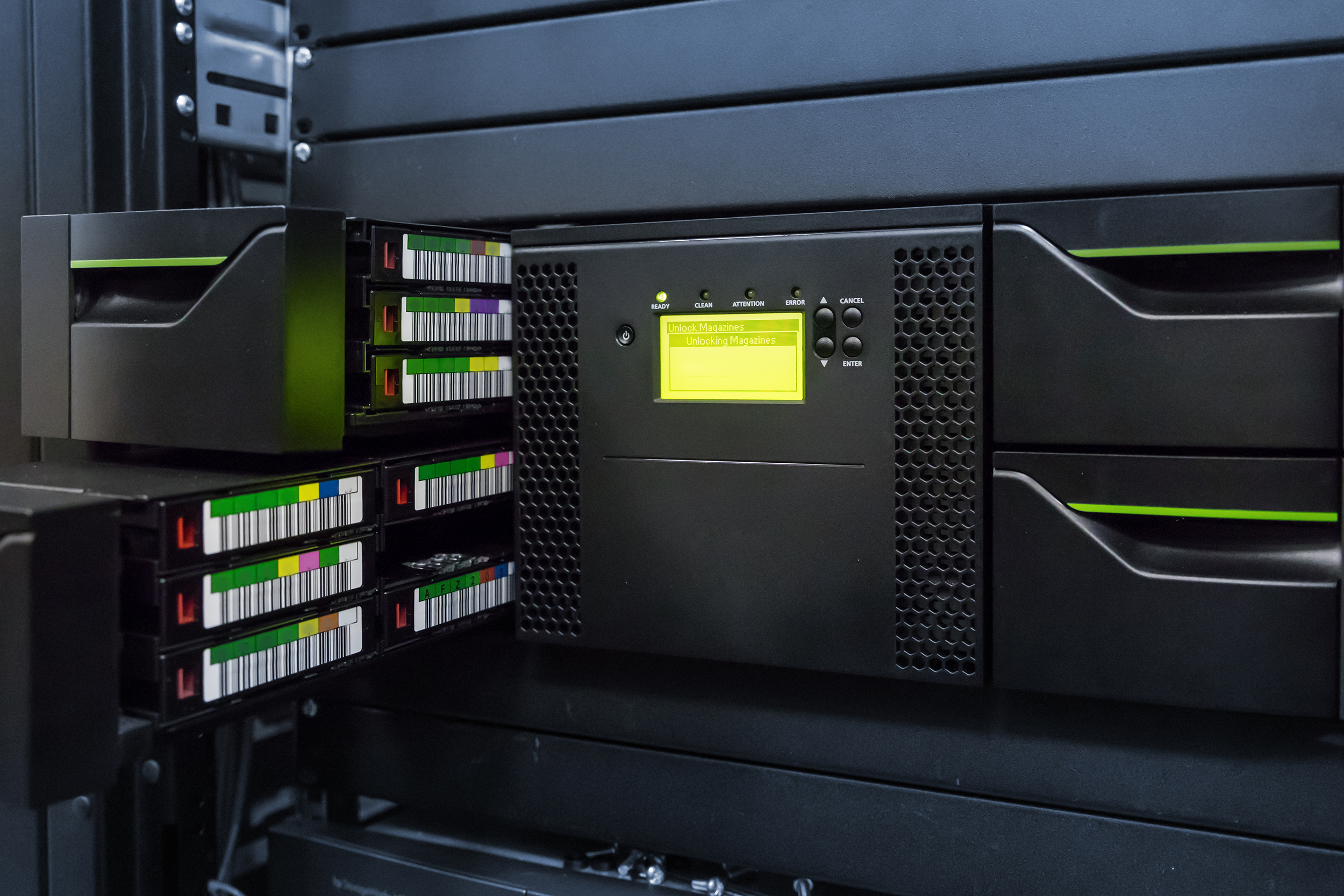
In many companies, tapes are a central component of data backup, archiving, or long-term storage. They enable the cost-effective storage of large amounts of data and often remain an important last line of defense for corporate data in critical situations.
However, specific questions arise during operations: Which tapes have been checked? What problems were detected and resolved? Were deletion, removal, or destruction properly logged? What is the utilization rate of the tape drives? And are operational risks such as high humidity, abnormal temperatures, or defective tapes identified in a timely manner?
BACKUP EAGLE® TAPE_CONTROL helps companies consolidate information from backup solutions and tape libraries. This provides a comprehensive enterprise tape overview, improved tape issue detection, and traceable lifecycle documentation for audits and certifications.
Why Tape Environments Without Centralized Control Become a Risk in the Long Run
Why Tape Environments Without Centralized Control Become a Risk in the Long Run
Incomplete Tape View
Backup solutions provide important tape and drive information. However, depending on the environment, not all tapes, drives, or details remain visible. A combined view from the backup solution and the library provides greater transparency.
Lack of Lifecycle Documentation
The inspection, use, deletion, removal, and destruction of tapes must be documented in a traceable manner. Without a centralized history, gaps in the audit trail will arise.
Late Problem Detection
Defective tapes, media that have not been used for a long time, abnormal cartridge readings, or unfavorable operating conditions can compromise safe tape operation. Without centralized monitoring, such problems are often detected too late.
Increasing Audit Requirements
Audits and certifications require reliable evidence of inspected tapes, resolved issues, lifecycle changes, and secure operational processes. Without structured tape data, the documentation burden increases significantly.
Typical Signs of a Lack of Transparency in Tape Environments
Typical Signs of a Lack of Transparency in Tape Environments
Many companies have been using tape-based processes for years. As data volumes increase and audit requirements, partitioning, and multiple information sources come into play, structures often emerge that are difficult to monitor centrally.
| Typical Situation | Impact |
|---|---|
| Separate backup and library monitoring | No combined status |
| Not all tapes are visible | Incomplete overview |
| Uncertain remaining tape lifespan | Increased risk of failure |
| Manual tape operations | Operational history difficult to verify |
| Deletion and removal documented manually | High audit effort |
| Typical Situation | Impact |
|---|---|
| Separate backup and library monitoring | No combined status |
| Not all tapes are visible | Incomplete overview |
| Uncertain remaining tape lifespan | Increased risk of failure |
| Manual tape operations | Operational history difficult to verify |
| Deletion and removal documented manually | High audit effort |
Centralized tape visibility instead of manual control processes
BACKUP EAGLE® TAPE_CONTROL consolidates tape information from backup solutions and tape libraries. In addition, manual actions, tape operations, and comments can be documented. This provides a comprehensive overview of enterprise tape operations, improves problem detection, and generates traceable records of quality, usage, deletion, removal, and lifecycle.
Combined Tape Status
Information from the backup solution and the tape library is consolidated. This provides a centralized overview of the tape inventory, status, usage, and relevant library information.
Identifying Abnormalities
Remaining lifespan, defective tapes, media that hasn’t been used in a long time, or unusual conditions become apparent more quickly. Backup teams can assess risks earlier and respond more effectively.
Documenting Tape Actions
Tape operations, manual operations, and comments can be recorded in a structured manner. Changes to the tape lifecycle are documented traceably and made available for audit purposes.
Supporting Audit Compliance
BACKUP EAGLE® TAPE_CONTROL supports compliance documentation for audits and certifications, such as those related to ISO 27001, TISAX, PCI-DSS, or DORA.
IBM Tape Library Monitoring
To ensure the reliable operation of tape libraries, BACKUP EAGLE® TAPE_CONTROL integrates seamlessly with IBM Tape Library Monitoring. While TAPE_CONTROL provides structured documentation of the lifecycle, tape operations, and audit trails, IBM Tape Library Monitoring supports the monitoring of operational status, such as temperature, humidity, drive utilization, and other library metrics.
Streamline tape processes instead of tracking them manually
Many companies do not start by modernizing their tape infrastructure; instead, they begin by improving transparency regarding data sources, tape statuses, actions, lifecycles, and audit trails. This is exactly where BACKUP EAGLE® TAPE_CONTROL comes in.
| Manual Tape Management | |
|---|---|
| Database | Separate backup and library monitoring |
| Status Checks | Individual status checks |
| Quality Control | Manual quality control |
| Tape Actions | Manual tape actions |
| Lifecycle Reporting | Complex deletion lists |
| BACKUP EAGLE® TAPE_CONTROL | |
|---|---|
| Database | Combined tape status |
| Status Checks | Enterprise tape overview |
| Quality Control | Monitoring of remaining lifetime |
| Tape Actions | Documented actions & comments |
| Lifecycle Reporting | Structured lifecycle reporting |
| Manual Tape Management | BACKUP EAGLE® TAPE_CONTROL | |
|---|---|---|
| Database | Separate backup and library monitoring | Combined tape status |
| Status Checks | Individual status checks | Enterprise tape overview |
| Quality Control | Manual quality control | Monitoring of remaining lifetime |
| Tape Actions | Manual tape actions | Documented actions & comments |
| Lifecycle Reporting | Complex deletion lists | Structured lifecycle reporting |
HOW TAPE_CONTROL WORKS
Creating Transparency in Tape
1. Analysis
Together, we’ll examine what tape-related information is currently available from backup solutions, tape libraries, and manual processes, and how this information is monitored, documented, and analyzed.
2. Identification
We examine where backup and library monitoring still happen separately, which tape statuses are not visible, and where documentation gaps arise during operations, deletion, removal, or disposal.
3. Evaluation
Next, we will evaluate how remaining lifespan, tape problem detection, tape actions, comments, deletion reporting, and lifecycle reporting can be supported centrally.
4. Vision
You will receive a detailed assessment of how to improve your tape environment in terms of enterprise tape visibility, secure operation, compliance documentation, and audit readiness.
What Our Customers Say
40,000 backups a day—and everything under control.
“We manage 30,000 to 40,000 backups every day using various backup tools. With BACKUP EAGLE, we’ve centralized all our processes and reports, can spot errors at a glance, and are always ready for an audit—even for our customers.”
– Ralf Scheerhorn, Senior Consultant, Axians
“For us, the advantage of BACKUP EAGLE is that it provides a collaborative platform for customers, service providers, and for auditing the company and its management.”
– Alex Alexej, Product Owner, Rewe Digital
Explore how to monitor your tape environment with greater confidence and security
From combined tape status, remaining lifespan, and tape operations to lifecycle documentation and audit trails—together, we will analyze how to centrally monitor, better document, and more efficiently verify your tape and tape library processes.
Contact addresses
P: +49 (0) 2238 – 468 48 – 0
M: info@backup-eagle.com
Support address
M: ticket@backup-eagle.com
BACKUP EAGLE GmbH
Bachstr. 1
D-50259 Pulheim
Frequently Asked Questions About TAPE_CONTROL and Tape Library Monitoring
Request a free demo or a callback now
The demo is free and non-binding. There are no automatic follow-up costs.
E mail request
Call request
Support request